Our Blog | The Business of Charging
How ChargePoint Waitlist Eliminates the Scramble for Workplace Charging
The Business of Charging | 3/24/2026

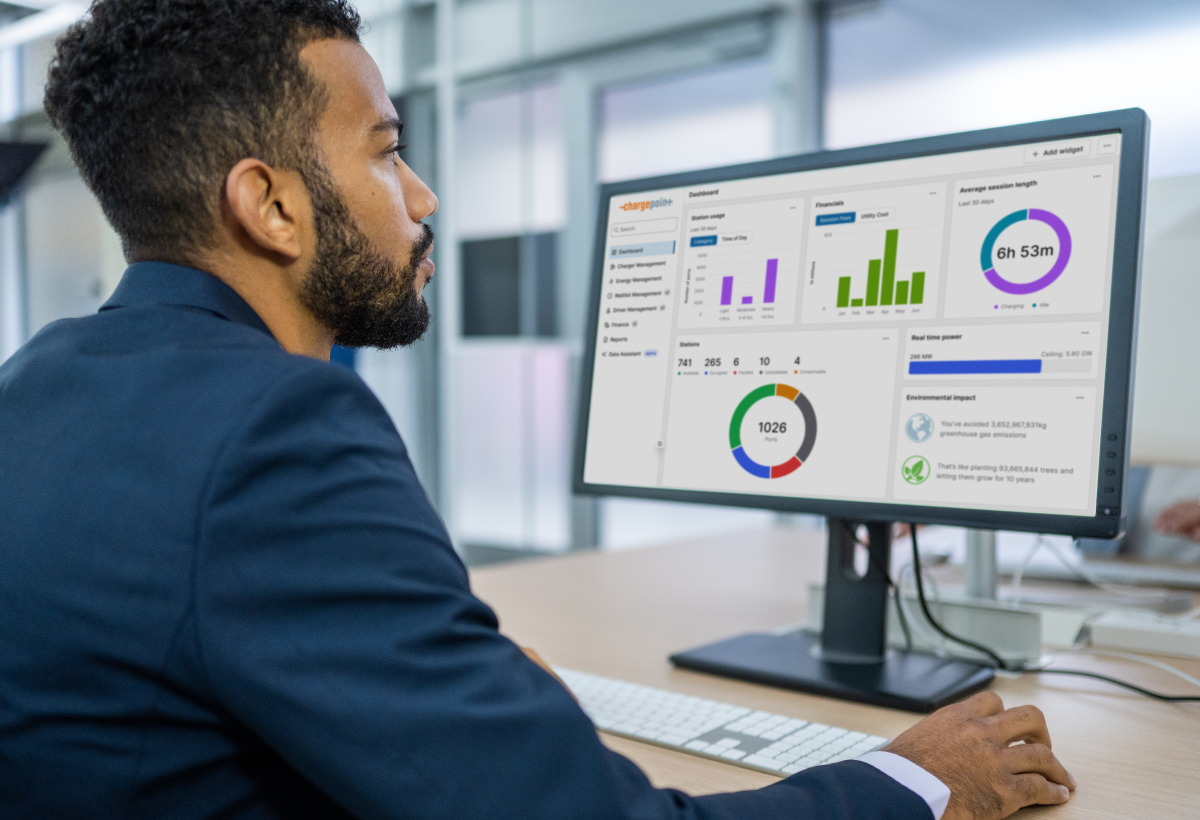
If you manage EV charging at your workplace, you've likely faced this challenge: your stations are fully occupied, and drivers are constantly checking the app or, worse, peeking outside to see when a spot might open up.
When drivers don’t know when they’ll be able to plug in, small moments of friction start to snowball: employees get frustrated, send complaints or hover around the parking lot waiting for an opening. Station managers end up fielding more questions and stepping in to resolve conflicts, adding manual work to an already busy day. And because drivers often stay plugged in longer than necessary, utilization becomes less efficient, meaning fewer employees get access to the charging they need.
What is ChargePoint Waitlist?
That's why ChargePoint Waitlist exists. It's a digital queue system that takes the guesswork out of charging so drivers spend less time checking for availability and station owners get a smarter, more automated way to manage access and increase utilization.
With Waitlist, drivers always know their place in line, stations stay in use and managers can shape fair and predictable charging behavior across stations like the CP6000, CT4000, Express 250, Express 280 and Express Plus through policy rules they control.
At a glance, Waitlist helps by providing:
- Efficient digital queues using the ChargePoint app
- Notifications telling drivers when it's their turn to charge
- On-hold/reserved port enforcement
- Owner-defined charging policies
- Owner reports for monitoring and insights

How does Waitlist control port access?
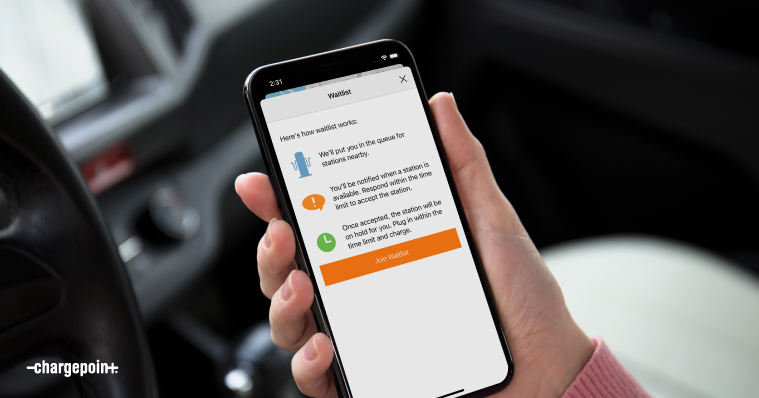
Waitlist controls port access by allowing drivers to join a queue in two convenient ways:
- Local queuing (tap to join): When an employee arrives at a full station, they can simply tap their phone on the station to join the queue. Because this method requires a driver to be physically present at the station, it ensures that only on-site drivers are holding a spot in line.
- Remote queuing: For added flexibility, station managers can optionally enable the "Join Waitlist" button within the ChargePoint mobile app. This allows drivers to claim a spot in line before they even leave their desk.
Together, these two options give station managers the control they need to run a fair, efficient queue while giving drivers the flexibility to plan their charging around their day.
The driver experience: transparency and control
Once drivers join a waitlist, they can track their position in line through the mobile app. When a port becomes available, they receive a notification with three options:
- Accept the port and head to their reserved spot
- Snooze if they're in a meeting (maintaining their place for the next available port)
- Leave the waitlist if they no longer need to charge
When a driver accepts, the port goes "on hold" with their ChargePoint username displayed on the station screen. If another driver tries to use it, they'll see "access denied." It's a seamless, personalized charging experience that eliminates the frustration of racing to claim a spot.
How Waitlist eases access management for owners
Every workplace is different, which is why Waitlist is highly customizable through the ChargePoint Platform. Station managers can:
- Set limits: Define maximum charging time, energy dispensed or state of charge to keep drivers moving. Workplaces most commonly notify drivers when their EV is fully charged or they've reached a time limit.
- Manage "snoozing": Managers typically allow up to three snoozes before a driver is removed from the list (though they can rejoin if needed).
- Stop charging after notification: You can even choose to stop dispensing energy once a driver is notified to move—a powerful tool to minimize idle time.
- Create multiple policies: If you have multiple parking garages, you can create separate Waitlist policies for each location, so drivers only queue for the areas convenient to them. You can also apply Waitlist to only some of your stations while keeping others first-come, first-served.
- Flexible scheduling: Remote queuing can be enabled only during certain hours, allowing morning arrivals to charge on a first-come, first-served basis before the digital queue opens.
Insights for station managers
The ChargePoint Platform provides robust monitoring and reporting tools on Waitlist usage and driver behavior. You can view real-time driver activity logs, see which stations are on hold, track how the queue is moving and export data for further utilization analysis. This visibility helps you understand Waitlist's impact and identify patterns—such as drivers who consistently fail to move when notified.
This data is often used to enforce workplace charging policies by reaching out to drivers who may be ignoring notifications to move their vehicles. Combined with overstay fees (another ChargePoint feature), Waitlist creates a comprehensive approach to managing station utilization.

Setting your team up for success
A smooth Waitlist experience does not happen on its own. It starts with making sure your drivers know how to use it. When employees understand the system from day one, you reduce confusion, cut down on unnecessary support requests and get the most out of your charging infrastructure.
The most successful implementations start with clear communication. Providing a tutorial or sharing a slide deck with drivers ensures everyone understands how the "on hold" status works, how snoozing maintains their place in line and how the system handles technical issues such as automatically reassigning drivers who plug in but receive zero energy after two minutes.
Getting started in three simple steps
Once your drivers are in the know, implementing Waitlist on your CP6000, CT4000, Express 250, Express 280 or Express Plus stations is a straightforward process:
- Create a policy: Sign into your ChargePoint Platform account and define your Waitlist rules, including charging limits, snooze allowances, remote queuing settings and more.
- Apply the policy: Select which specific stations will utilize Waitlist. You can be strategic here based on your site's layout and drivers’ needs.
- Educate your drivers: Let your team know how to join and remind them to enable app notifications. This is the most important step. Without notifications enabled on both the ChargePoint app and their device settings, drivers won't receive alerts when it's their turn.
The benefits of Waitlist lie in its flexibility. Try one approach, review the data and make real-time adjustments within minutes. Whether you are just starting your electrification journey or looking to maximize existing infrastructure, Waitlist helps ensure every employee gets their fair turn to charge.
Interested in workplace EV charging or want to set up Waitlist? Connect with our team to get started.